

Salesforce | Roll-Up Summary using Flow
What is a Roll-Up Summary field?
A roll-up summary is a field that calculates values from related records. For example, you can calculate the average number of closed opportunities, or the average amount of closed opportunities, or the SUM, MIN, MAX number.
Limitations according to Salesforce help documentation
- You can have max 40 Roll-Up Summary fields per object.
- You cannot aggregate values for Lookup relationships.
- Date Literal filters can’t be added.
- Summary types are limited to Count, Sum, Min, and Max. Text and Average roll-up types are not supported.
- When you delete a child record on a Roll-up Summary field, Salesforce doesn’t automatically recalculate the value of the field.
- You can’t use a long text area, multi-select picklist or Description fields, system fields like Last Activity, cross-object formula fields, and lookup fields in the field column of roll-up summary filters.
- Roll-up summary fields are not available for mapping lead fields of converted leads.
- If a roll-up summary field contains cross-object field references or functions such as NOW or TODAY, it cannot calculate the values of the formula fields.
- If your organization has advanced currency management enabled, currency roll-up summary fields are invalid if they are on accounts and summarizing opportunity values, or on opportunities and summarizing custom object values.
- You can’t create a COUNT or SUM roll-up summary field that pulls data from a lookup field without selecting an option to disable the deletion of the lookup record that is part of the lookup relationship.
- The value in a roll-up summary field changes when the values in the detail records change. So, validation errors can display when saving either the detail or master record.
- Because roll-up summary fields are not displayed on edit pages, you can use them in validation rules but not as the error location for your validation.
- Automatically derived fields, such as current date or current user, aren’t allowed in a roll-up summary field. Forbidden fields include formula fields containing functions that derive values on the fly, such as DATEVALUE, NOW, and TODAY. Formula fields that include related object merge fields are also not allowed in roll-up summary fields.
- When you refer to a roll-up summary field in a list view or report, you can’t use certain qualifiers, including:
- Starts with
- Contains
- Does not contain
- Includes
- Excludes
- Within
What alternative solutions do we have?
Apex/Trigger.
You can create a method that will make all the calculations and update needed fields. If you need to make some changes or update something, you will need a developer to accomplish this task. There are many solutions that can be found in the forums.
Flow/Process Builder.
This is one of the most popular approaches. It does not work when you Delete a record, but it will recalculate the values once you add/update a record again.
Bellow you can find an example of a Roll-UP Summary field that summarizes the total amount of paid invoices for a specific account :
Step 1 : Create a custom Roll-Up Field for an Account or any other object. In my case it is Total Amount.
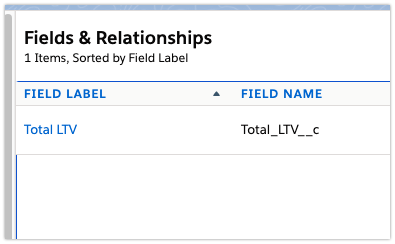
Step 2 : Create a custom object if you don’t have it yet and add a Look-Up field to the object. In my case I use Look Up to the Account Object.
Step 3 : Create a Flow that will Sum Up all records linked to a specific Account.
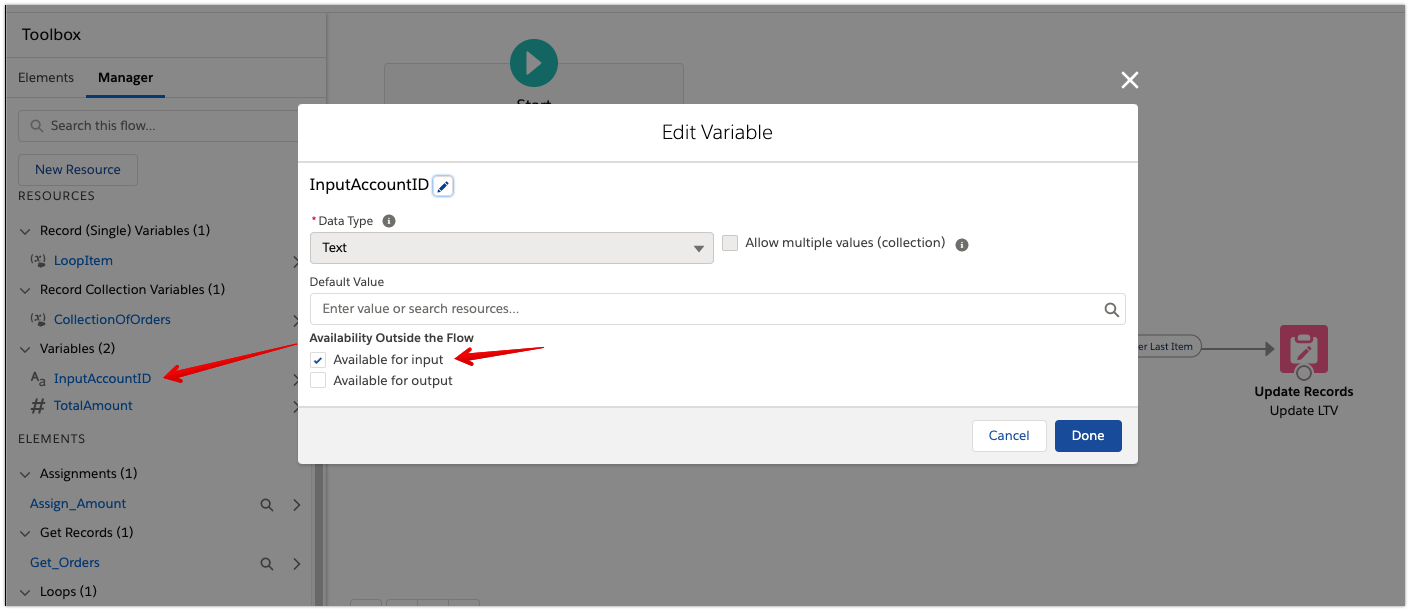
- Create a variable that accepts Account ID as a parameter.
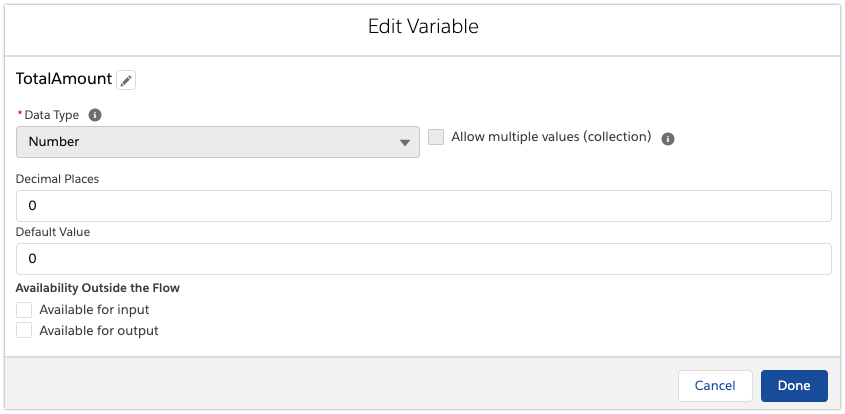
- Create a variable that will aggregate the Amount.
- Once we get the Account ID, we need to get all records related to it. You can also set up a filter to get just needed records. In my case I get all Invoices that are linked to the Account and have the “Activated” status
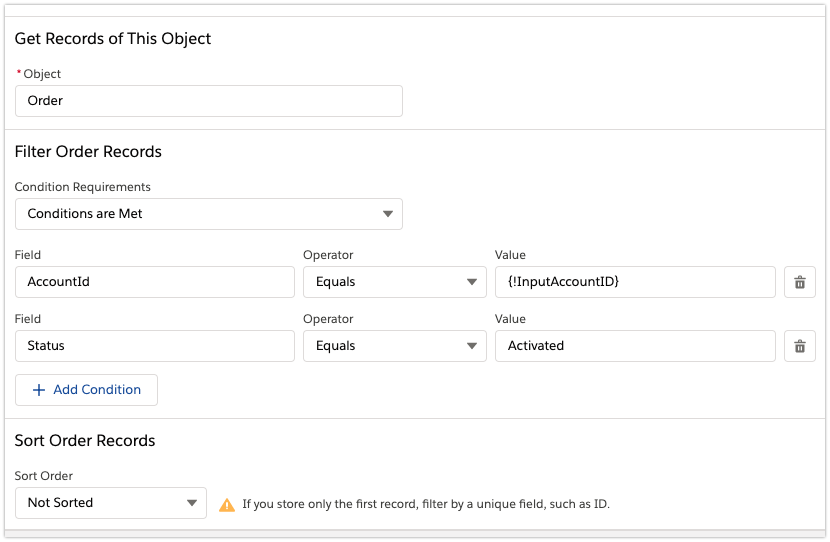
Set it up to store All Records and choose fields to store in the new variable.
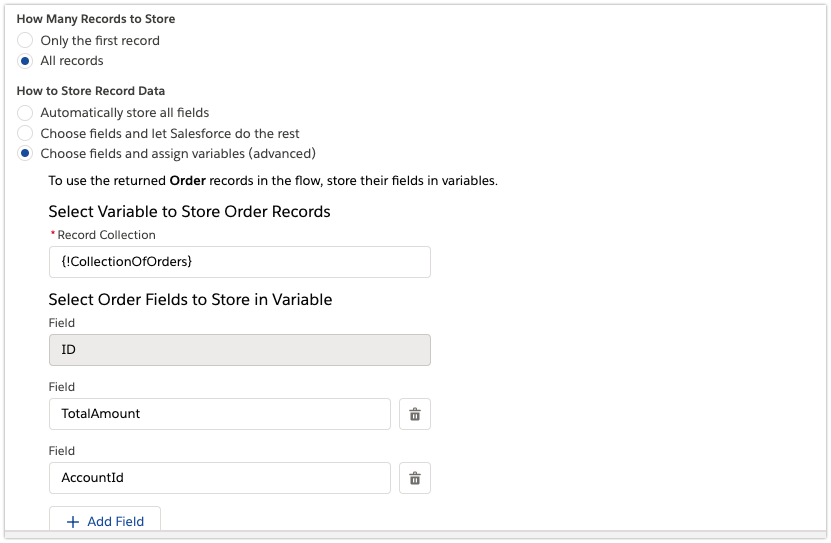
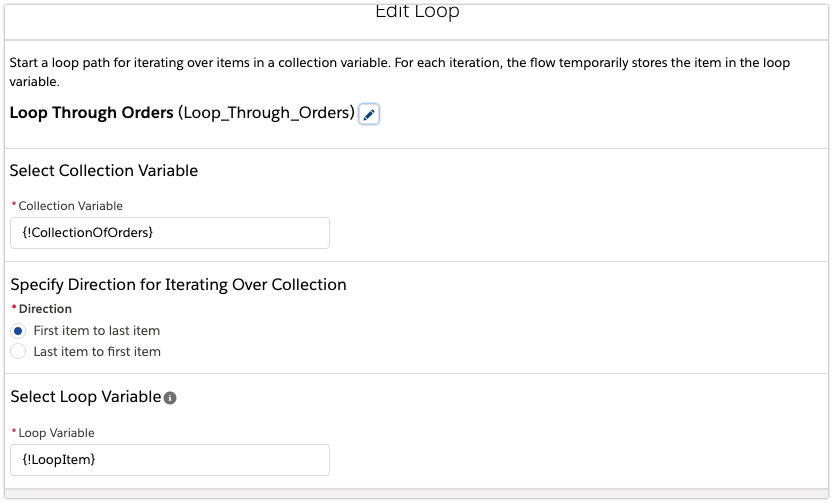
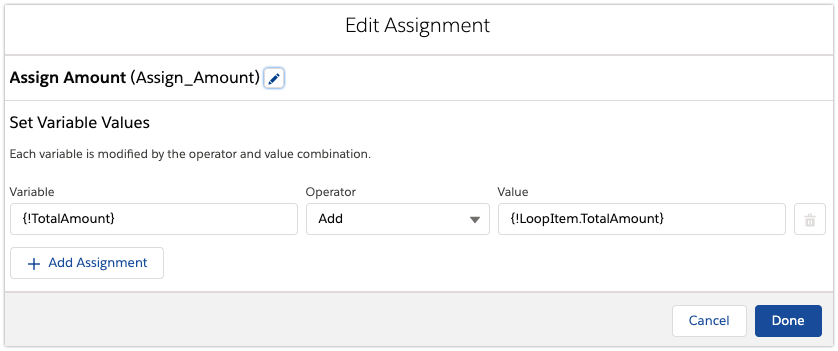
- Once you have the new variable with the data, you need to create a loop that will get the Amount from each record and add it to the variable that aggregates the data. After each iteration you need to update the variable.
You need to add Value to the previous amount.
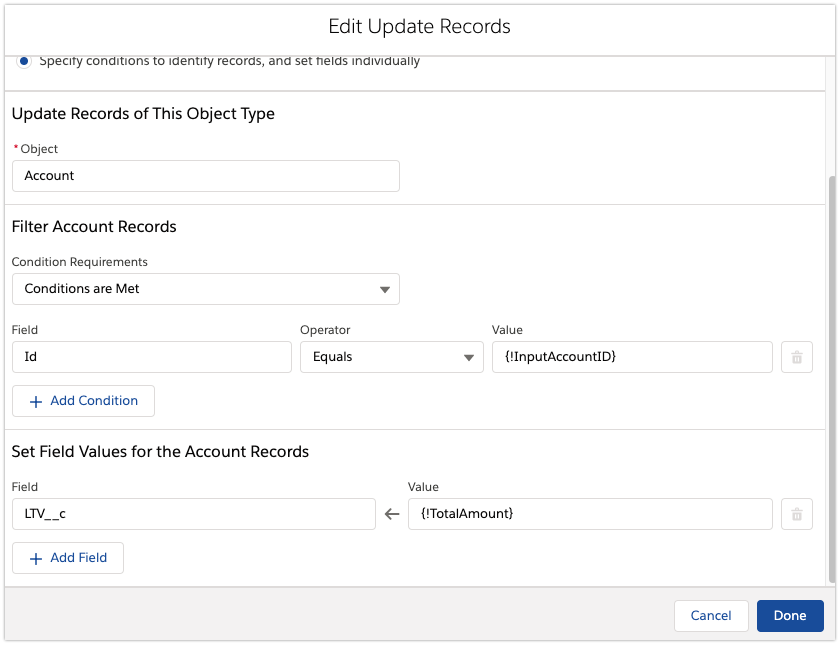
- The last step is to update the Total Amount for the Account.
The whole Flow diagram
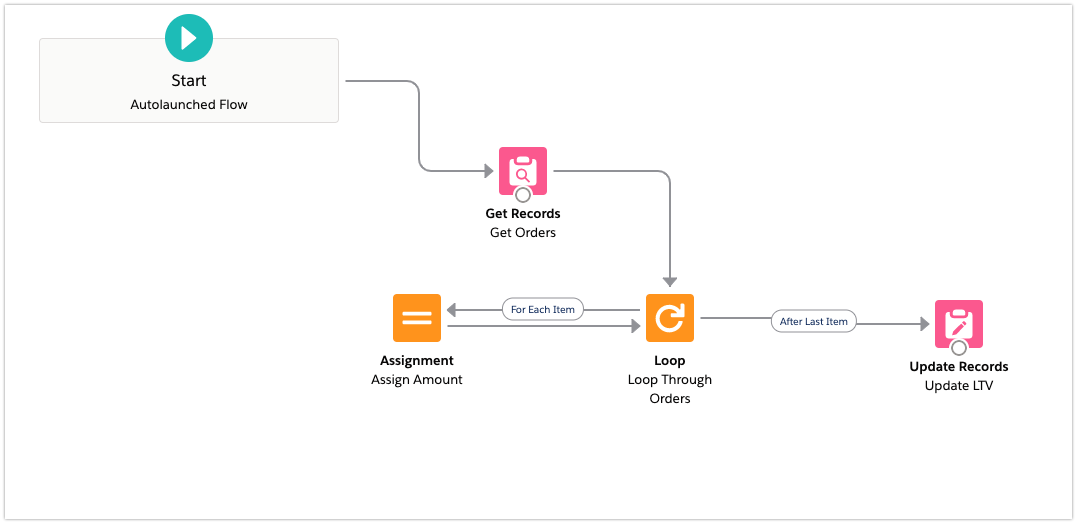
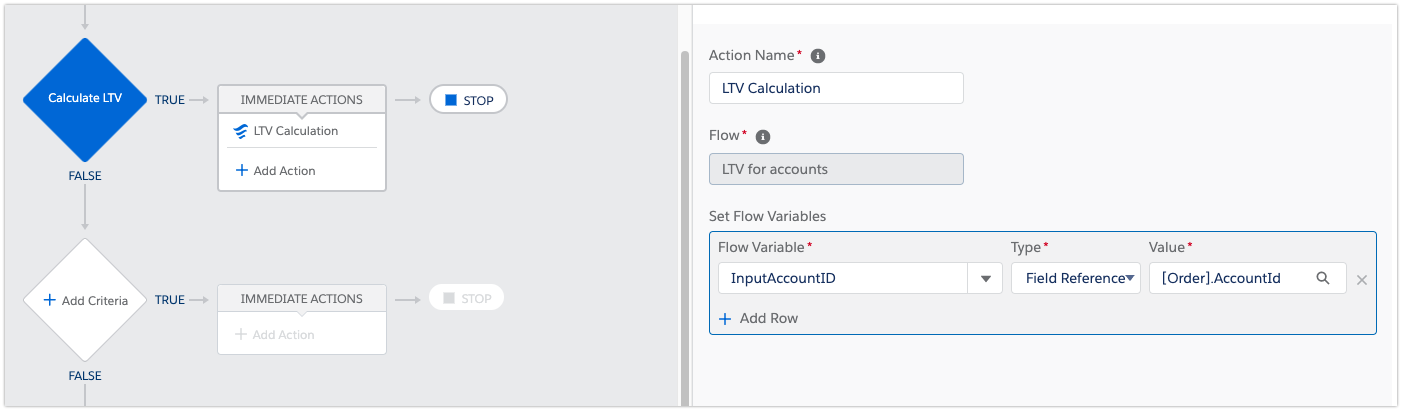
Step 4 : Create a process in Process Builder. The process will be launched if we add or update any record for the Invoice custom object.
Once a record is added/updated, the process will launch the flow and pass the needed parameters to the flow. In our case, it is Account ID.
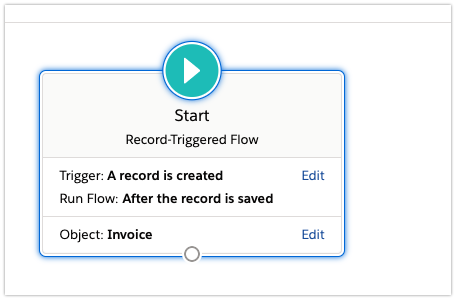
Record-Triggered Flow
This approach is similar to the previous one. The only difference is we don’t need to use Process
Builder.
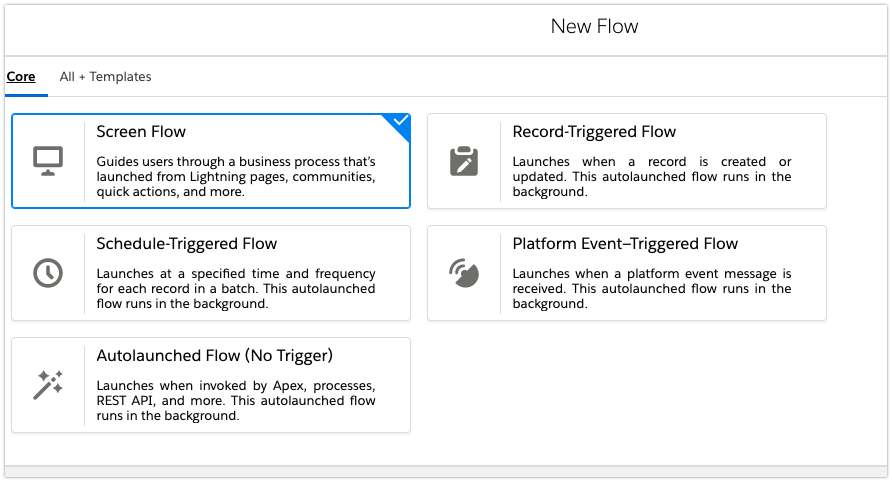
Scheduled Flow.
Another possible solution that I have not tested yet is Schedule-Triggered Flow. This is a relatively new option launched by Salesforce. In this case, you don’t need to build a process in the Process Builder. You just need to create a Schedule-Triggered Flow. It can be applied by Advanced Admins.
We can create a Flow that gets all records from the Object that we need to aggregate. The Flow will store all the records in a variable – $Record global variable. The variable can be used in the Flow. In our case, I want to get all records from Invoice Object.
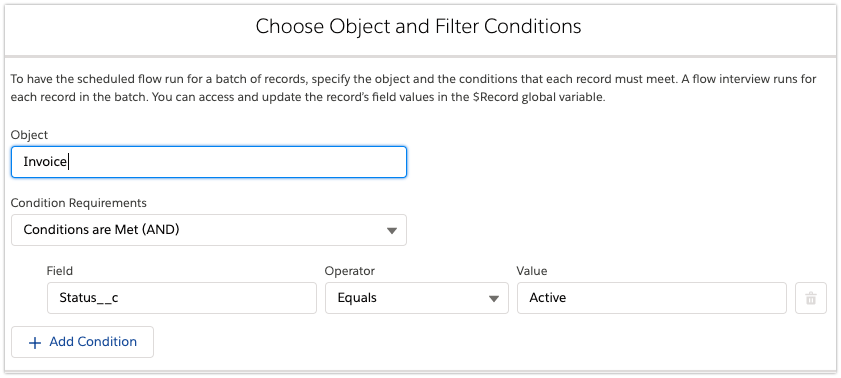
Once we get the variable, we can build a similar flow that we built before in this chapter. The only difference is that we need to get records from the Account object. In the Loop, we will need to add an additional Loop that will SUM all records from the $Record global variable based on the Account Id that we get from the Loop 1. All the aggregated fields should be stored in a Record Collection Variable. The Update Records should be added when the Loop 1 is finished.
Summary:
The most effective solution is still using APEX/Trigger. You can create an optimized Query and update the field. You can launch a scheduled task and aggregate the needed values. The approach will require a developer’s participation.
The Flow/Process Builder solution & Record-Triggered Flow are pretty simple solutions that require some setting up from an Administrator. They run only when you create/update a record. If you delete a record, you might see some inconsistency in the Summary field, but it will disappear once a new record is created or a record is updated. You can also Prohibit removing records and leave the options available just for an Administrator.
Scheduled Flow – can be run on a daily basis. We will go through the pros & cons of it in a separate article.
Special thanks to posting Author: Arthur Koryaka, Working for Ergonized
LinkedIn:- https://www.linkedin.com/in/arthur-koryaka/
Sharing is Caring 🙂 #KeepLearning #KeepBlazing #AwesomeAdmin

You are missing several variables and steps in this outline
Yeah. I have also noticed that but the thing is this is a guest post. Soon I will upload a video for the same and you can follow that.
I was able to build it and add to it to meet needs. Its spotty and unclear that could cause others to not like this post. A video would be great and probably better than just adding in more screenshots.
I will put the video ASAP.